
Manufacturing · Microsoft Dynamics 365 Business Central
Apps › Manufacturing Suite › BOM Change Control
BOM Change Control
Production BOMs done right — cost simulation, approval workflows, revision control and CAD import, all inside Business Central.

✓ Available on Microsoft AppSource
✓ Free 30-day trial · No credit card
✓ Per-user subscription, monthly or yearly
✓ Built & supported by GMSOFT
Overview
What BOM Change Control does
BOM Change Control is a comprehensive Production BOM management extension for Microsoft Dynamics 365 Business Central. It transforms how manufacturing companies design, analyze, and maintain their Bills of Materials throughout the entire product lifecycle.
Who benefits from BOM Change Control?
Production managers, manufacturing engineers, and operations teams who work with complex Bills of Materials in Business Central. It is ideal for companies in discrete manufacturing, assembly, and engineering-to-order environments that need tighter control over BOM changes, costs, and compliance.
What problems does it solve?
Managing Production BOMs in standard Business Central can be time-consuming and error-prone. BOM Change Control addresses these challenges:
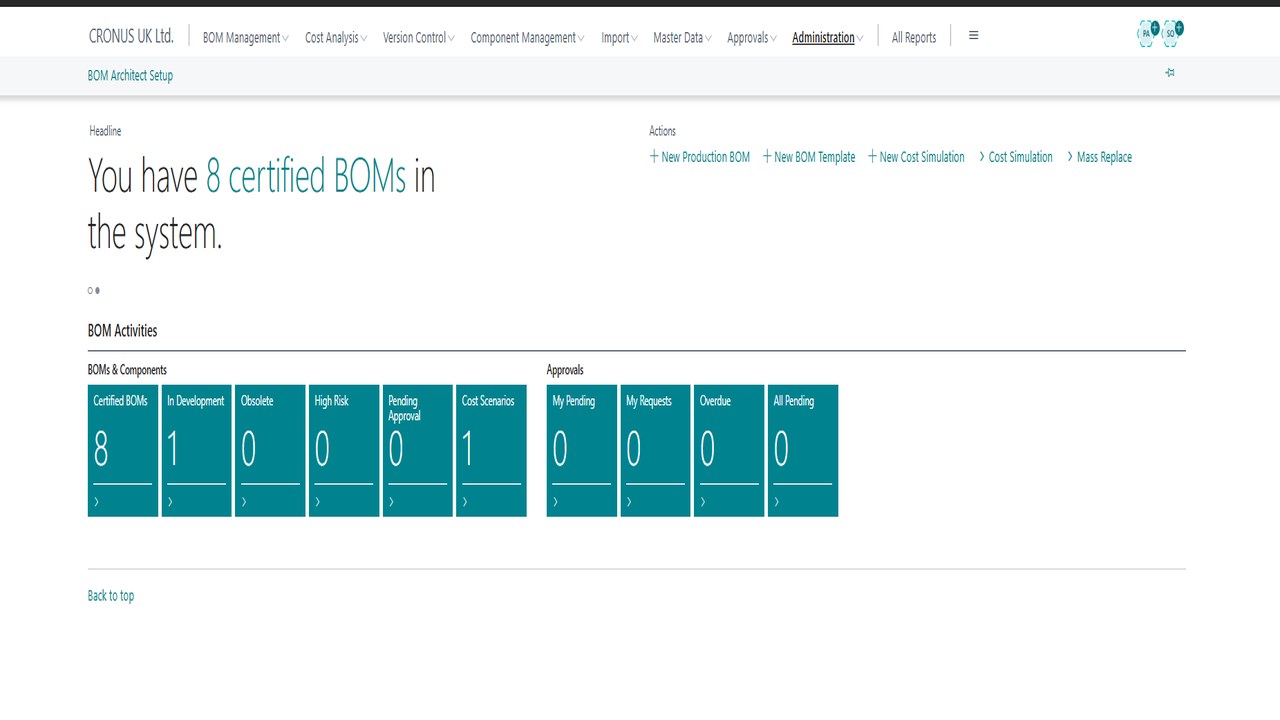
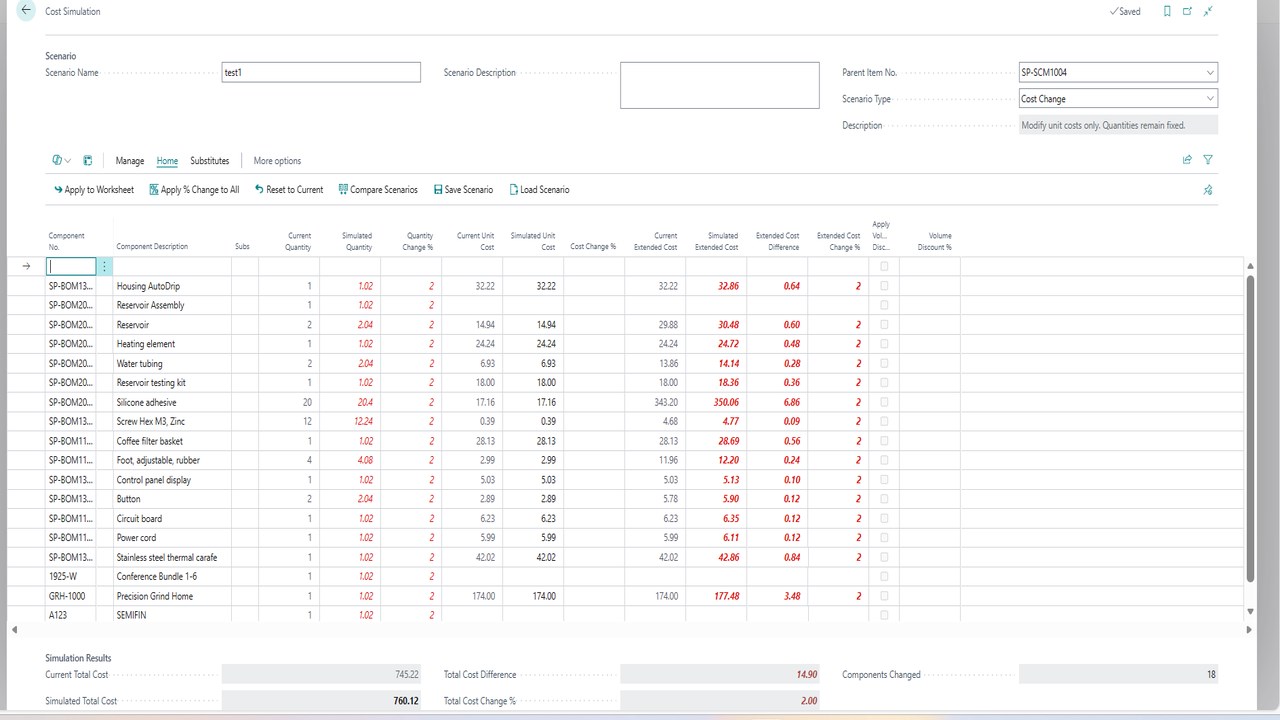
- Cost Analysis & Simulation – Run what-if cost scenarios to understand the impact of material price changes before they happen. Compare multiple scenarios side by side and make informed sourcing decisions.
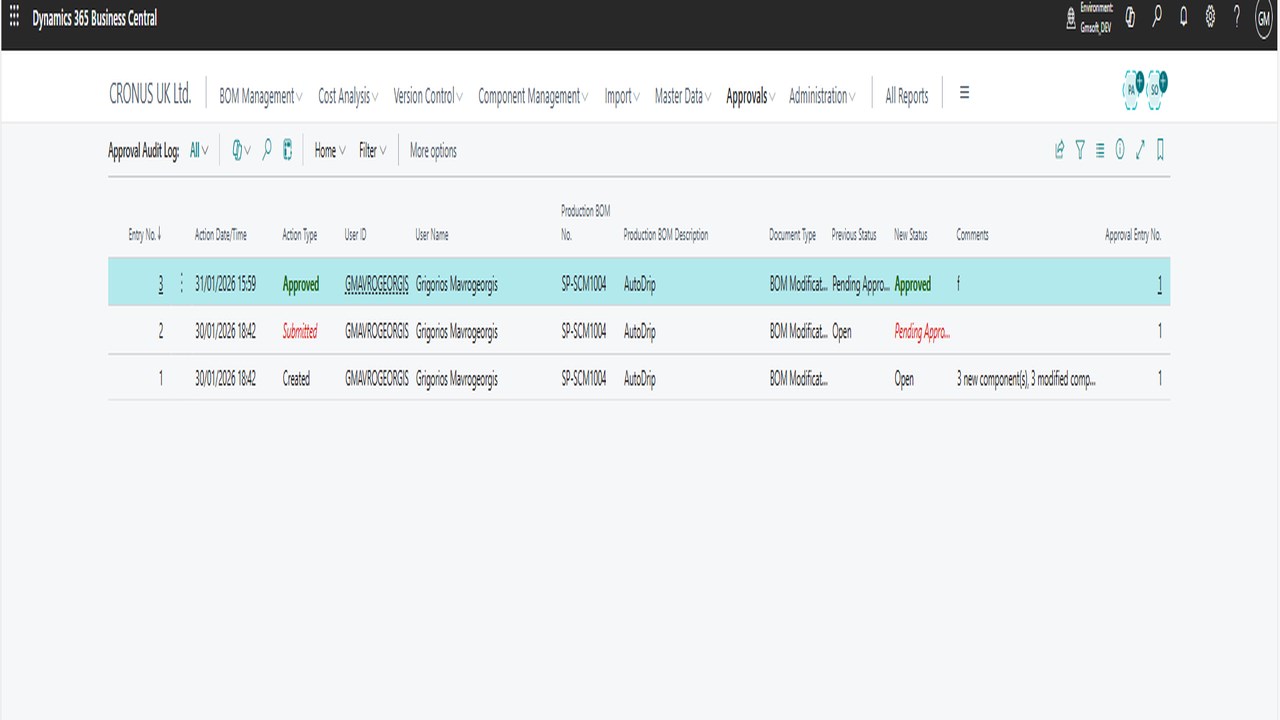
- Approval Workflows – Enforce structured BOM change approvals with multi-level workflows, audit trails, and email notifications. Ensure no unauthorized changes reach production.
- Revision Control – Track every BOM modification with full version history. Compare revisions to see exactly what changed, when, and by whom.
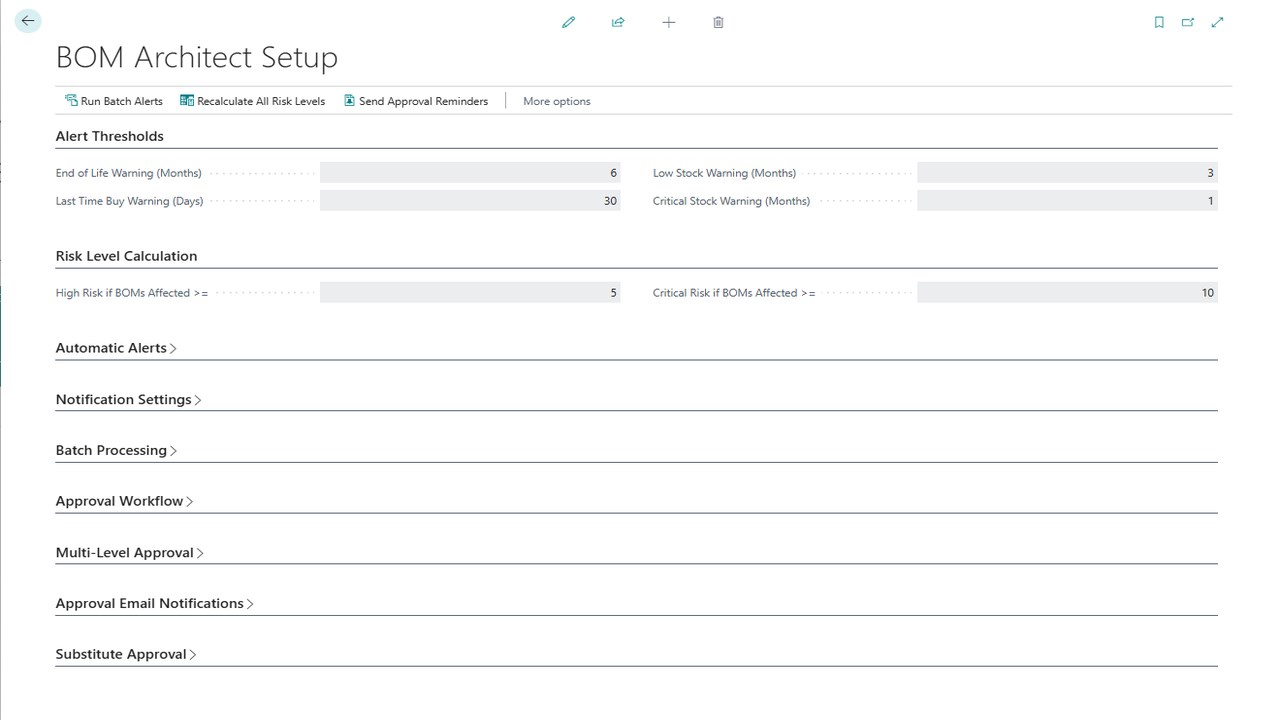
- Component Obsolescence Management – Get early warnings when components approach end-of-life. Identify affected BOMs and plan substitutions proactively.
- CAD & SolidWorks Import – Import BOMs directly from CAD systems and SolidWorks, eliminating manual data entry and reducing transcription errors.
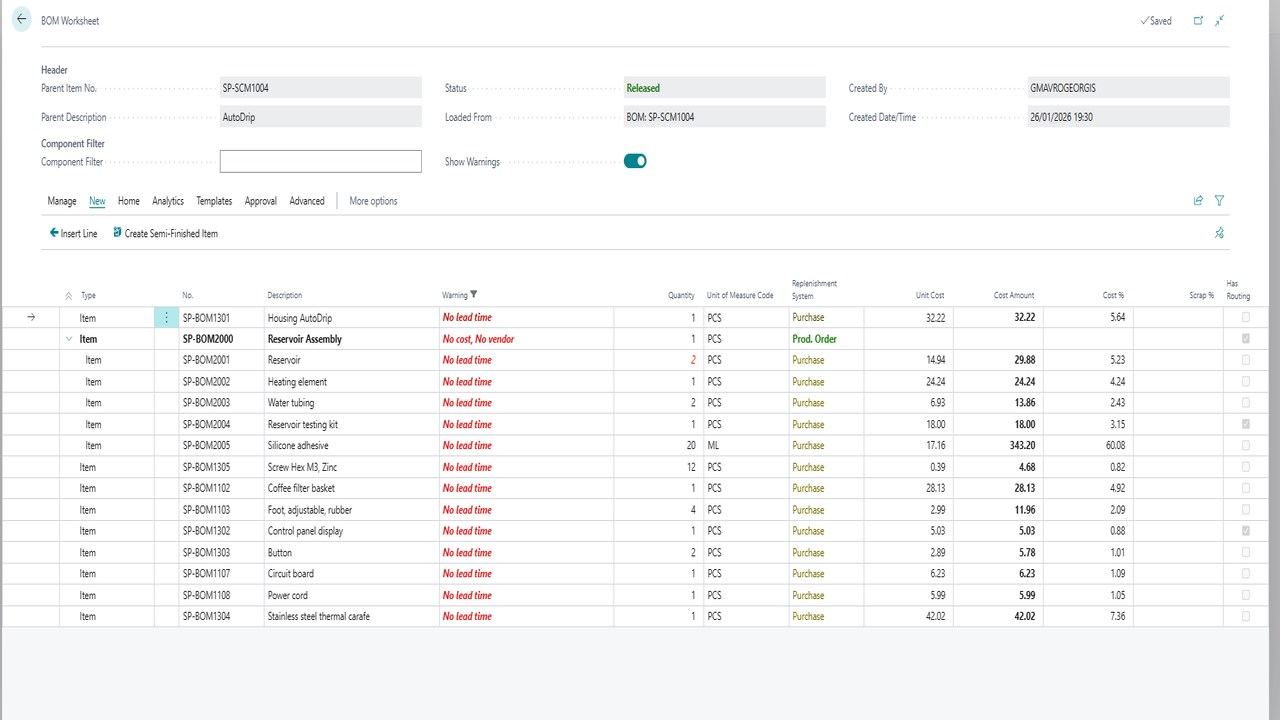
- BOM Worksheet – A powerful workspace for analyzing BOM structures with explosion, where-used analysis, circular reference checking, and mass component replacement.
- Configurable BOMs – Define option groups and rules to generate product variants from a single configurable BOM template.
- Phantom BOMs & Templates – Streamline BOM creation with reusable templates and phantom BOM support for sub-assemblies.
BOM Change Control integrates natively with Business Central and requires no external services or additional infrastructure.
App details
- Platform: Microsoft Dynamics 365 Business Central online, version 29 or later
- Edition: Premium (manufacturing)
- Category: Manufacturing
- Pricing: Per user, per month
- App ID: a3655950-0cdb-4c19-9c00-7afb31777047
- Publisher: GMSOFT LIMITED
See it in action
Screenshots
Ready to install BOM Change Control?
Free 30-day trial. No credit card. Installs to your BC tenant in minutes.
Frequently Asked Questions
Setup & Configuration
Q: What versions of Business Central does BOM Change Control support?
A: Business Central online, version 29 (2026 release wave 2) or later. Because the app builds on Production BOMs and routings, it needs the manufacturing functionality of the Premium edition.
Q: Can I import existing BOMs from my current system?
A: Yes. We support bulk BOM import from Excel or direct import from your legacy system. Contact us for migration assistance.
Manufacturing & Bill of Materials
Q: Does the app support multi-level BOMs?
A: Yes. You can create BOMs with unlimited nesting levels. The app calculates component costs and assembly times automatically through the hierarchy.
Q: How do I handle component substitutions or alternatives?
A: The app supports alternative components. Set substitution rules per assembly, and the system will calculate cost impact for each alternative.
Q: Can I track costs by manufacturing operation?
A: Yes. Link BOM lines to production operations (or routing steps). The app breaks down cost by raw material, labor, and overhead per operation.
Q: What happens when I change a BOM — does it affect existing work orders?
A: BOM changes only apply to new production orders going forward. Existing orders stay locked to their original BOM (historical accuracy). You can also version BOMs for audit trails.
Q: Can I see the impact of BOM changes on production cost?
A: Yes. The app shows a cost comparison before and after BOM edits. Useful for optimising product design or responding to supplier price changes.
Q: Do you support phantom BOMs (assembly-only components)?
A: Yes. Mark components as phantom and the system will explode them during manufacturing without creating intermediate inventory.
Trial & Billing
Q: What’s included in the 30-day free trial?
A: Full access to all features, including multi-level BOMs, cost simulation, approval workflows and revision control. No credit card required.
Q: How much does BOM Change Control cost?
A: It is a per-user subscription, monthly or yearly, bought through Microsoft AppSource. The current price per user is shown on the AppSource listing.
Support
Q: How do I get help with complex BOMs?
A: Email [email protected] or call +44 7771 313713. We can help with BOM structure, cost modeling, and optimisation.
Download the one-page datasheet
Enter your details and get the BOM Change Control datasheet as a PDF.
We use your details only to send you information about GMSOFT apps. See our privacy statement.